
Step-by-step guide · 5 min read
Sports Card Collection App: Track What Your Collection Is Worth
· By the Sports Card Value Scanner team
Quick answer
A sports card collection app lets you scan each card once and keep it, with its value range, in one searchable list. In Sports Card Value Scanner, every card you save goes into My Collection. It shows the combined value, the number of cards and the number of players, plus each card's value range and scan date, so you can see what you own and roughly what it's worth.
A sports card collection app replaces the notebook or spreadsheet most collectors start with. The useful ones do four things: add cards quickly, store an estimated value with each card, show a running total for the collection, and let you find a card again later. Scanning is what makes the difference, because typing set names and card numbers for hundreds of cards is slow and easy to get wrong. In Sports Card Value Scanner, each scan can be saved to My Collection, which shows the combined value, the number of cards and players, a History tab and search. Treat the total as an estimate. It's good for deciding which cards to protect, insure or research further, but for a sale or an insurance policy you'll still want recent sold prices for your most valuable cards.
| Add cards | Scan from the camera or pick a gallery photo |
|---|---|
| Each entry stores | The card's value range and scan date |
| My Collection shows | Total value, card count and player count, plus History and search |
| Export | The list of scanned cards to a file (bulk CSV export on Android) |
| Platforms | iPhone and iPad (iOS 15.1 or later), Apple silicon Macs and Android |
What should a good sports card collection app do?
A good collection app adds cards from a photo, stores a value with each card, shows a collection total, keeps a history, is searchable and lets you export your data.
- Add cards fast. Scanning beats typing. One photo should be enough to identify the card.
- Store the value with the card. Each entry should carry an estimated value, not just a name.
- Show the total. You want one number for the whole collection, plus counts of cards and players.
- Keep a history. Seeing what you scanned and when helps you revisit cards later.
- Be searchable. Finding one player in a few hundred cards should take seconds, not minutes.
- Let you take your data with you. Exporting the list to a file means you're never locked in, and it's handy for insurance records.
Sports Card Value Scanner covers each of these: scanning from the camera or gallery, value ranges, a collection total, a History tab, search, and export of all your scanned cards to a file.
How do you build a collection in the app?
Scan a card, review the result, tap Save to Collection, then open My Collection to see the total value, card count and player count.
- 1
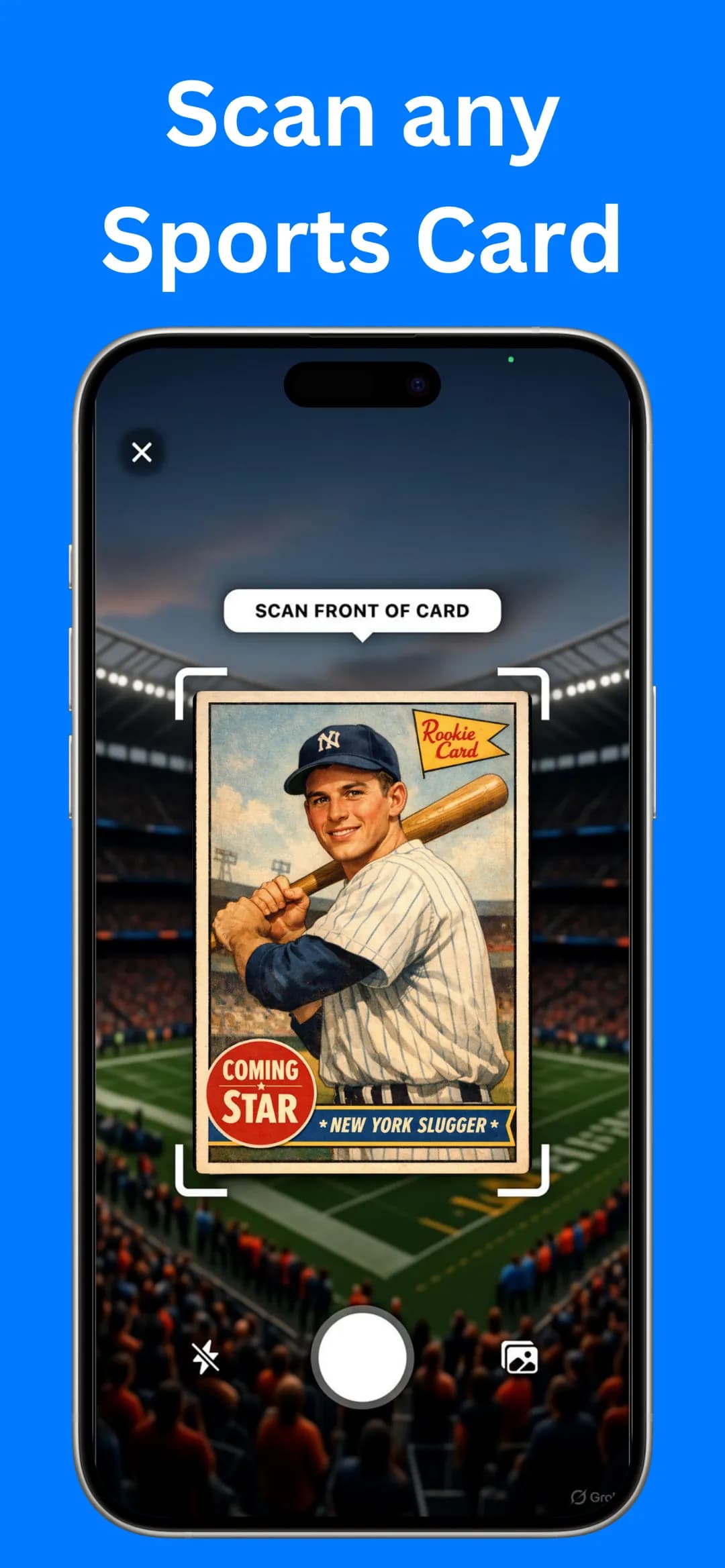
Scan a card
Open the scanner, frame the front of the card inside the guides and take the photo, or choose one from your gallery.
- 2
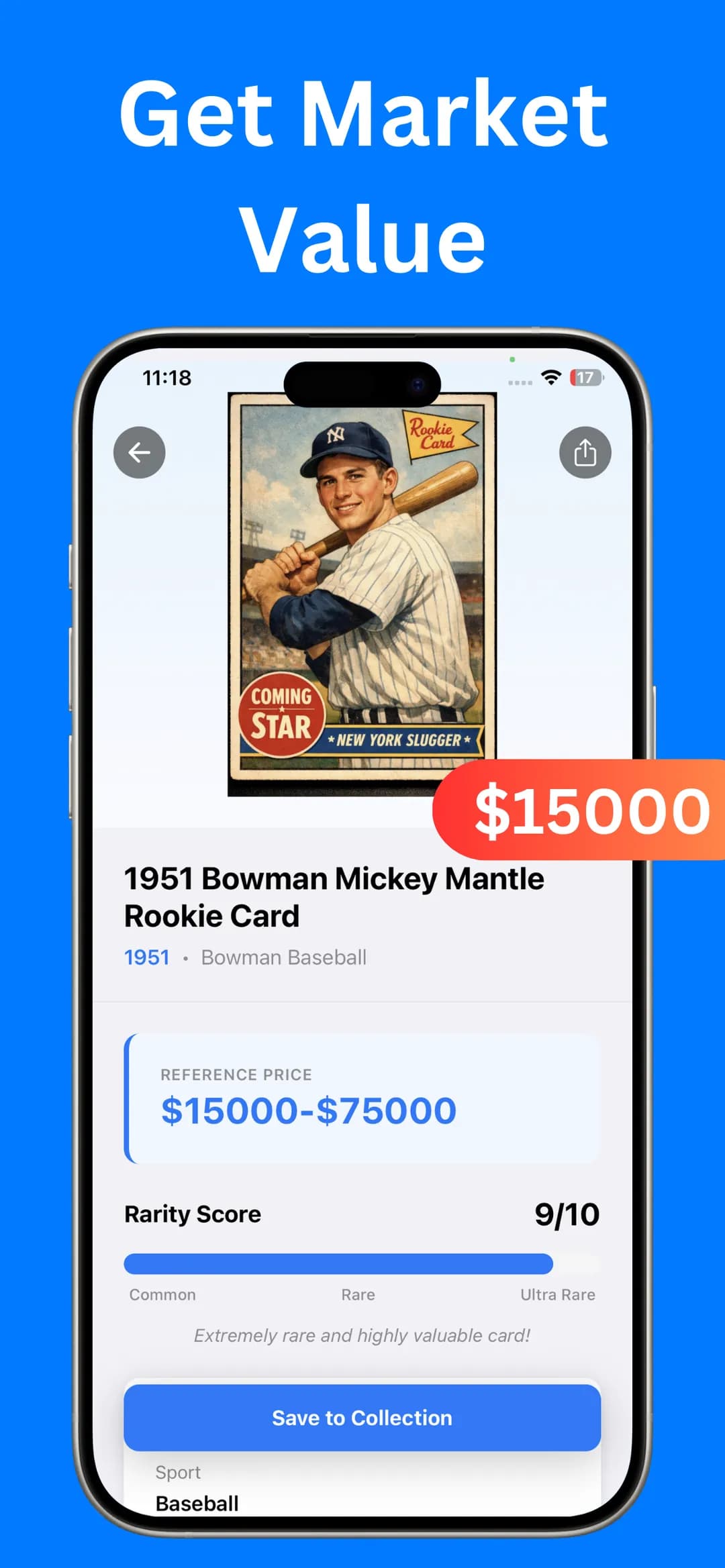
Review the result
Check the card name, year and set, the Reference Price range and the Rarity Score. Scroll down for Card Information such as the series and card number.
- 3
Tap Save to Collection
The card goes into My Collection with its value range and the date you scanned it.
- 4
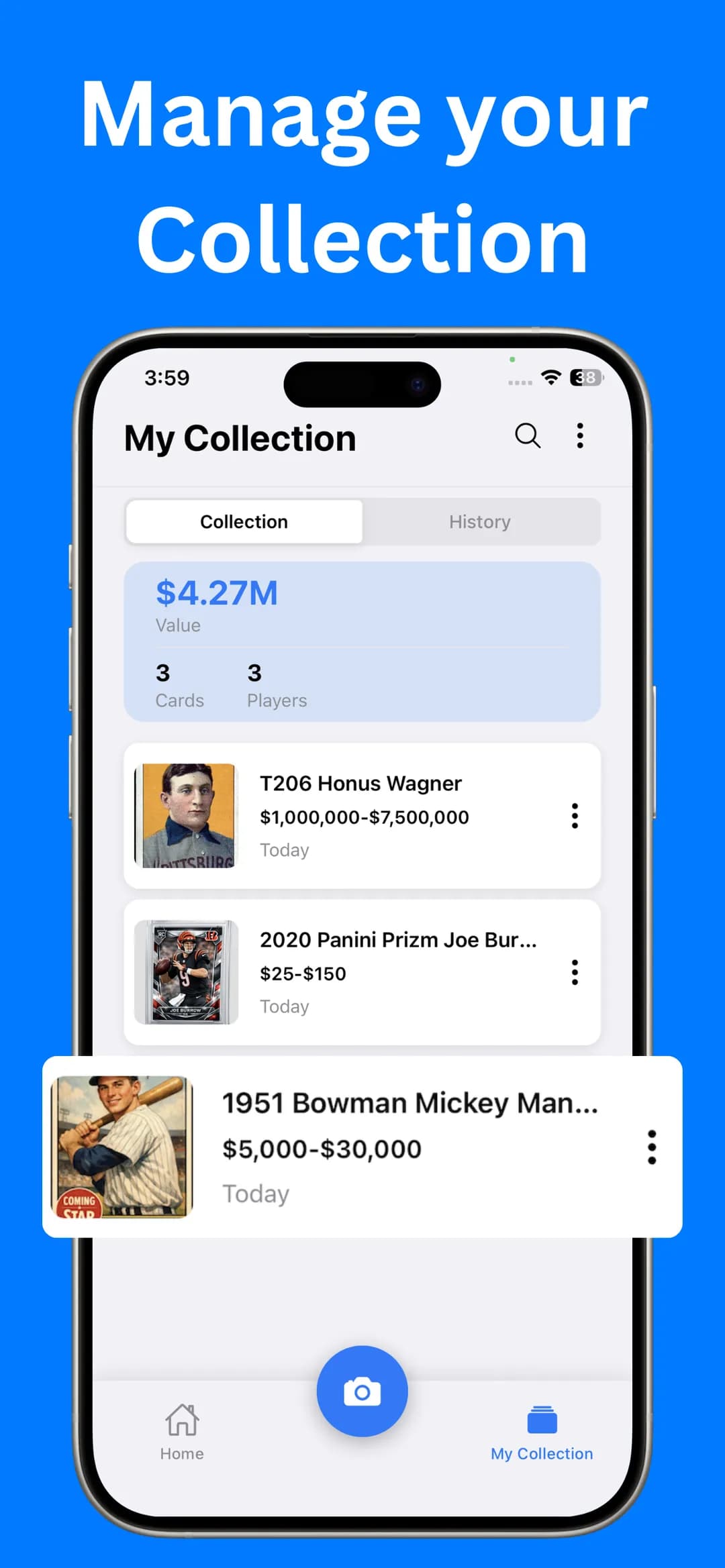
Open My Collection
See the total value, how many cards and players you've saved, and a list of every card. Switch to the History tab for past scans, or tap search to find a specific card.
What does your collection total tell you?
A collection's value is the sum of what each card would sell for, but a few cards usually make up most of it. In the example screenshot above, three saved cards add up to a total in the millions because one of them is a T206 Honus Wagner. Most real collections are carried by a handful of rookies, stars and vintage cards rather than hundreds of commons.
Treat the app's total as an estimate. For insurance, estate planning or a sale, verify your top cards with recent sold listings (our guide to pricing sports cards on eBay explains how). For the full process, including bulk cards and appraisals, read how to value a sports card collection.
How should you organise the physical cards?
Sort cards by sport, year and set before you scan, protect valuable ones in sleeves and top loaders, label boxes to match the app and store everything cool and dry.
- Sort first, scan second. Group cards by sport, then by year and set, so you're not hunting for a card later.
- Protect the valuable ones. Use penny sleeves plus top-loaders or magnetic holders for anything that scans as rare.
- Label boxes to match the app. A simple label like “Baseball 1980s” makes it easy to find a card you saw in My Collection.
- Store cool and dry. Heat, humidity and sunlight warp cardboard and fade colours.
- Re-check values now and then. Card prices move with player performance and the season.
Is there a sports card collection app for iPhone, iPad and Android?
Yes. If you want a sports card collection app for iPhone, Sports Card Value Scanner runs on iPhone and iPad with iOS 15.1 or later, and on Macs with Apple silicon. It's free to download, and optional Premium adds unlimited identifications, an ad-free experience and faster results.
On Android, get it from Google Play. The latest Android update adds collection value and stats, a multi-select mode, and bulk CSV export and delete, which is handy if you keep a spreadsheet of your cards.
New to scanning? Read how to scan sports cards for value for tips on getting clean results. If you've inherited a box of older cards, are my old sports cards worth anything? explains which eras to check first.
Frequently asked questions
Can I export my card collection?
Yes. Sports Card Value Scanner can export the list of all your scanned cards to a file, which is useful for insurance records, a spreadsheet or sharing your list with a buyer.
Can I search my card collection in the app?
Yes. My Collection has a search button so you can find a saved card quickly. It also has Collection and History tabs.
Is my collection data linked to me?
On iOS, the App Store privacy label says the app may collect user content that isn't linked to your identity, and lists no data used to track you. On Google Play, the developer declares no data collected and no data shared with third parties.
Sources

Find out what your cards are worth
Scan your first card in seconds. Get the card details, a reference price range and a rarity score, then build a collection you can track.


4.5★ App Store (75) · 4.4★ Google Play (79) · Free to download