
Comparison · 7 min read
Best Sports Card Scanner Apps Compared
· By the Sports Card Value Scanner team
Quick answer
The best sports card scanner app depends on what you need. CollX suits collectors who want a huge database and a built-in marketplace. Ludex suits sellers who want sold-price values and quick eBay listing. Cardstock suits set collectors who want checklists. For a free sports card scanner app, eBay's Price Guide scanner and Ludex's free tier both offer unlimited scans, per eBay and Ludex. Sports Card Value Scanner is the simpler option: scan a card, get a price range and rarity score, and save it to a collection. We make it, so weigh that.
Sports card scanner apps all start the same way: you take a photo, and the app identifies the card and shows an estimated value. They differ in what comes after. CollX matches against a database of more than 20 million cards and lets you buy and sell through its own marketplace. Ludex focuses on values from completed sales and listing cards on eBay. Cardstock pairs a scanner with set checklists and sold-price lookups. The eBay app now has its own Price Guide scanner that shows eBay sales for a sports card, free for US users. Sports Card Value Scanner keeps things simple: it identifies the card, shows a reference price range and estimated eBay values with a rarity score out of 10, and saves cards to a collection with a running total. All of them are free to download, and most have paid tiers for heavier use. The details here come from each app's store listing as of October 17, 2026. Listings change, so check before you subscribe.
| Biggest database | CollX: 20M+ cards and a built-in marketplace |
|---|---|
| Sold-price values | Ludex, with eBay listing tools |
| Free with no scan limit | eBay's Price Guide scanner and Ludex's free tier, per eBay and Ludex |
| Set checklists | Cardstock (iPhone and iPad) |
| Simplest | Sports Card Value Scanner: value range, rarity score and collection total |
How do the sports card scanner apps compare?
CollX leads on database size, Ludex on sold-price values, Cardstock on checklists and eBay on free sales data, while Sports Card Value Scanner keeps to quick scans, value ranges and rarity scores.
| App | What it emphasises | App Store rating | On Android |
|---|---|---|---|
| CollX | 20M+ card database, sports and trading card games, built-in marketplace | 4.6 (49,600+ ratings) | Yes |
| Ludex | Values from completed sales, eBay listing, binders and set tracking | 4.7 (27,800+ ratings) | Yes |
| Cardstock | Scanner, set checklists, sold-price lookup, CSV export, iCloud sync | 4.5 (11,500+ ratings) | Not found on Google Play |
| eBay app | Scan to list, plus a Price Guide scanner with eBay sales | General shopping app | Yes |
| Sports Card Value Scanner | Quick scan, reference price range, rarity score, collection total, export to a file | 4.5 (75 ratings) | Yes (4.4 from 79 ratings) |
What is CollX best for?
CollX is best for collectors who want one app for many card types and a built-in marketplace. Its listing describes visual search across more than 20 million cards, covering sports, trading card games such as Pokémon and Magic, and non-sport cards, with average market values based on historical auction prices. CollX runs its own marketplace for buying and selling, with seller tools and buyer protection, and a paid Pro tier adds features such as unlimited collection size, CSV export and repricing tools.
What is Ludex best for?
Ludex is best for sellers who want values tied to sold prices and a quick route to eBay listings. Its listing says it identifies sports cards and trading card games, with values based on completed sales from eBay and other marketplaces. It highlights parallel and variation recognition, custom binders, set tracking, trending players and a List-It feature for listing cards on eBay. The listing also says scans are unlimited on every plan, including the free tier, with paid subscriptions for extra features.
CollX vs Ludex: which is better?
In the CollX vs Ludex choice, the biggest difference is where you sell. CollX has its own marketplace, while Ludex pushes listings to eBay. Both cover sports and trading card games, both recognise parallels and both track a collection's value.
What is Cardstock best for?
Cardstock is best for set collectors on iPhone or iPad. Its App Store listing describes a card scanner with value lookups based on eBay sold listings, checklists for tracking sets, CSV export and iCloud sync across iPhone and iPad. We didn't find a Cardstock app on Google Play.
Does eBay have its own card scanner?
Yes. The eBay app has two scanners of its own. Scan to list matches a raw card and creates a draft listing, and the Price Guide's Scan cards shortcut shows about two years of eBay sales for a sports card. eBay said the Price Guide is free for US users with no usage limits. It's tied to eBay's own sales and listings, so it suits people who plan to sell there. Our eBay card scanner guide shows how to use both.
What is Sports Card Value Scanner best for?
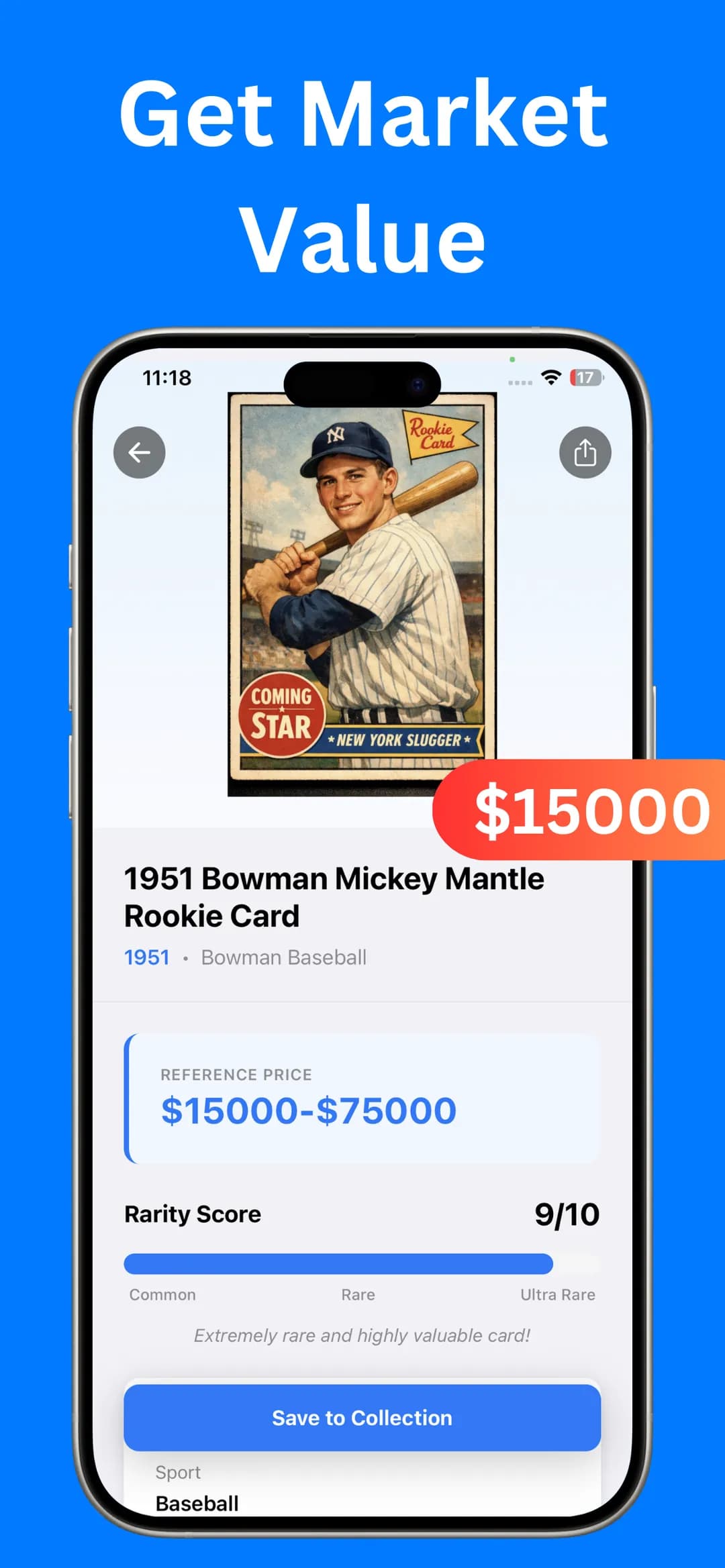
Sports Card Value Scanner is best for a quick identification, a value range and a rarity score without a marketplace. It's our app, so weigh this section with that in mind. Scan a card with the camera or pick a gallery photo, and the result shows the card's name, year and set, a reference price range, estimated eBay values and a rarity score out of 10. Saved cards go into My Collection with a running total, and you can export the list to a file.
It doesn't have a marketplace, it doesn't grade cards, and it focuses on sports cards. It's free to download on the App Store and Google Play, with optional Premium for unlimited identifications, an ad-free experience and faster results. Its ratings are 4.5 on the App Store and 4.4 on Google Play, from far fewer ratings than CollX or Ludex. Our guide on how to scan sports cards for value shows it step by step.
Which is the best sports card scanner app free of charge?
If you want a free sports card scanner app with no scan limit, eBay's Price Guide scanner and Ludex's free tier are the clearest options, according to eBay and Ludex. CollX's listing describes a free app with a paid Pro tier for power-user features. Sports Card Value Scanner offers optional Premium for unlimited identifications. Free tiers change often, so check the current details in each app before relying on them.
What's the best sports card scanner app for Android?
CollX, Ludex and Sports Card Value Scanner all have Android apps on Google Play, so the best sports card scanner app for Android comes down to the same trade-offs as on iPhone. On Android, Sports Card Value Scanner's latest update adds collection value and stats, a multi-select mode and bulk CSV export.
What other card scanner apps are there?
There are many newer apps with similar names, such as StarSnap and Cardly AI, which add features like condition estimates and AI chat according to their listings. If any app promises exact values or grades from a photo, treat those numbers as estimates and check recent sold prices before you buy or sell. Our guide to pricing sports cards on eBay shows how.
Price trackers such as Card Ladder and Market Movers are built around sales data rather than scanning. Dealers with large inventories often skip phone apps altogether: services such as Card Dealer Pro pair a desktop document scanner, like the Ricoh fi-8170, with software that identifies cards and lists them across marketplaces. Our card scanner machine vs app comparison explains when that's worth it.
How do you choose a sports card scanner app?
Test each app on five of your own cards, check its identifications and values against sold listings, and decide which features you need before you pay.
- Scan five of your own cards, including a parallel and a vintage card, in each app you're considering.
- Check whether each identification is right, including the exact parallel.
- Compare each value with recent sold listings for the same card.
- Decide whether you need a marketplace, eBay listing tools or just a fast value check.
The best card scanner app is the one that gets your own cards right, so test before you pay. If keeping track of a collection matters most to you, read our sports card collection app guide too.
Frequently asked questions
What is the best free sports card scanner app?
It depends on what free means to you. eBay says its Price Guide scanner is free for US users with no usage limits, and Ludex's listing says its free tier includes unlimited scans. CollX is a free app with a paid Pro tier. Sports Card Value Scanner is free to download, with optional Premium.
Can a scanner app grade my cards?
Some apps offer condition estimates, but an official grade only comes from a grading company such as PSA, BGS or SGC. Sports Card Value Scanner doesn't grade cards.
Sources
- CollX on the App Store
- CollX on Google Play
- Ludex on the App Store
- Ludex on Google Play
- Cardstock on the App Store
- Card Ladder on the App Store
- Sports Illustrated: eBay introduces a price guide for trading cards
- Card Dealer Pro: best card scanners
- Sports Card Value Scanner on the App Store
- Sports Card Value Scanner on Google Play

Find out what your cards are worth
Scan your first card in seconds. Get the card details, a reference price range and a rarity score, then build a collection you can track.


4.5★ App Store (75) · 4.4★ Google Play (79) · Free to download