
Step-by-step guide · 5 min read
How to Price Sports Cards on eBay Using Sold Listings
· By the Sports Card Value Scanner team
Quick answer
To price sports cards on eBay, search for the exact card (year, brand, player, card number and parallel) and filter the results to Sold Items. That way you see what buyers actually paid, not what sellers are asking. Then use the middle of the most recent sales in the same condition or grade. For a quick first estimate before you search, a sports card scanner for eBay pricing like Sports Card Value Scanner shows estimated eBay prices from one photo.
eBay is the biggest public record of what sports cards actually sell for, which is why collectors use it to set prices. The method is simple. Search for the exact card, including year, brand, player, card number and any parallel, then switch the results to sold listings so you only see completed sales. Compare cards in the same condition, or with the same grade from the same grading company, and work from the middle of the most recent sales rather than the highest one. Ignore outliers, because a single strange sale usually has a story behind it. Asking prices on active listings tell you what sellers hope for, not what buyers pay. If you have a large stack, a scanner app gives you a quick estimate first, so you only spend time researching the cards that look valuable.
| Use | Sold listings, not asking prices |
|---|---|
| Filter | Sold Items (under Show only on the eBay website) |
| Compare | The same card, parallel and condition or grade |
| Price from | The middle of the most recent several sales |
| Remember | Marketplace fees and shipping come out of the sale price |
Why use sold listings instead of asking prices?
Anyone can list a card at any price, so active listings only tell you what sellers hope to get. Sold listings show completed sales, the price someone actually paid. That's the number that matters when you set a price, accept an offer or decide whether a card is worth grading.
Watch for outliers. A single sale far above or below the rest could be a mislabeled parallel, a card in very different condition or a sale that fell through. Ignore it and work from the cluster of similar prices.
How do you price sports cards on eBay, step by step?
Identify the exact card, search for it with specifics, filter to Sold Items, match the condition or grade, and work from the middle of the last several sales.
- 1
Identify the exact card
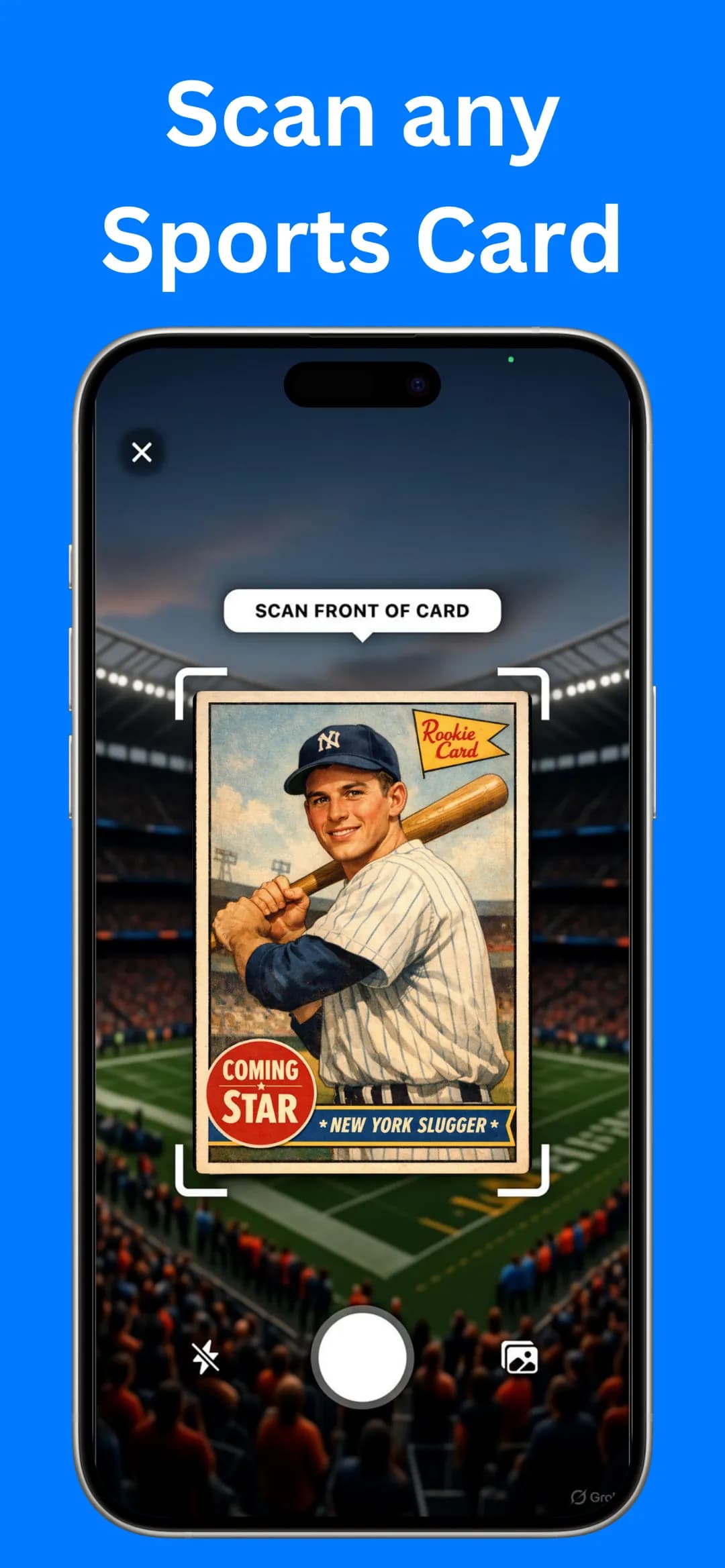
Note the year, brand, set, player, card number and any parallel. If you're not sure, scan it first: Sports Card Value Scanner shows the year, series and card number. Our guide on how to identify sports cards covers the details.
- 2
Search with specifics
Type a precise query, such as “1989 Upper Deck Ken Griffey Jr. #1”. Add the parallel name (Silver, Refractor, Gold) and the grade if your card has them. Vague searches mix base cards, parallels and graded copies together.
- 3
Filter to Sold Items
In the search filters, choose Sold Items (on the eBay website it's under Show only). The results now show completed sales and their final prices.
- 4
Match condition and grade
Compare raw cards with raw cards, and graded cards with the same grade from the same grading company. A PSA 10 and an ungraded copy of the same card can sell for very different prices.
- 5
Use the last several sales
Take the most recent handful of sales in matching condition and work from the middle of that range. Prices move with player performance and the season, so recent data beats old data.
- 6
Account for fees and shipping
If you're selling, remember that marketplace fees and shipping come out of the sale price. Set your Buy It Now price so the amount you keep matches your target.
Can a sports card price checker app speed this up?
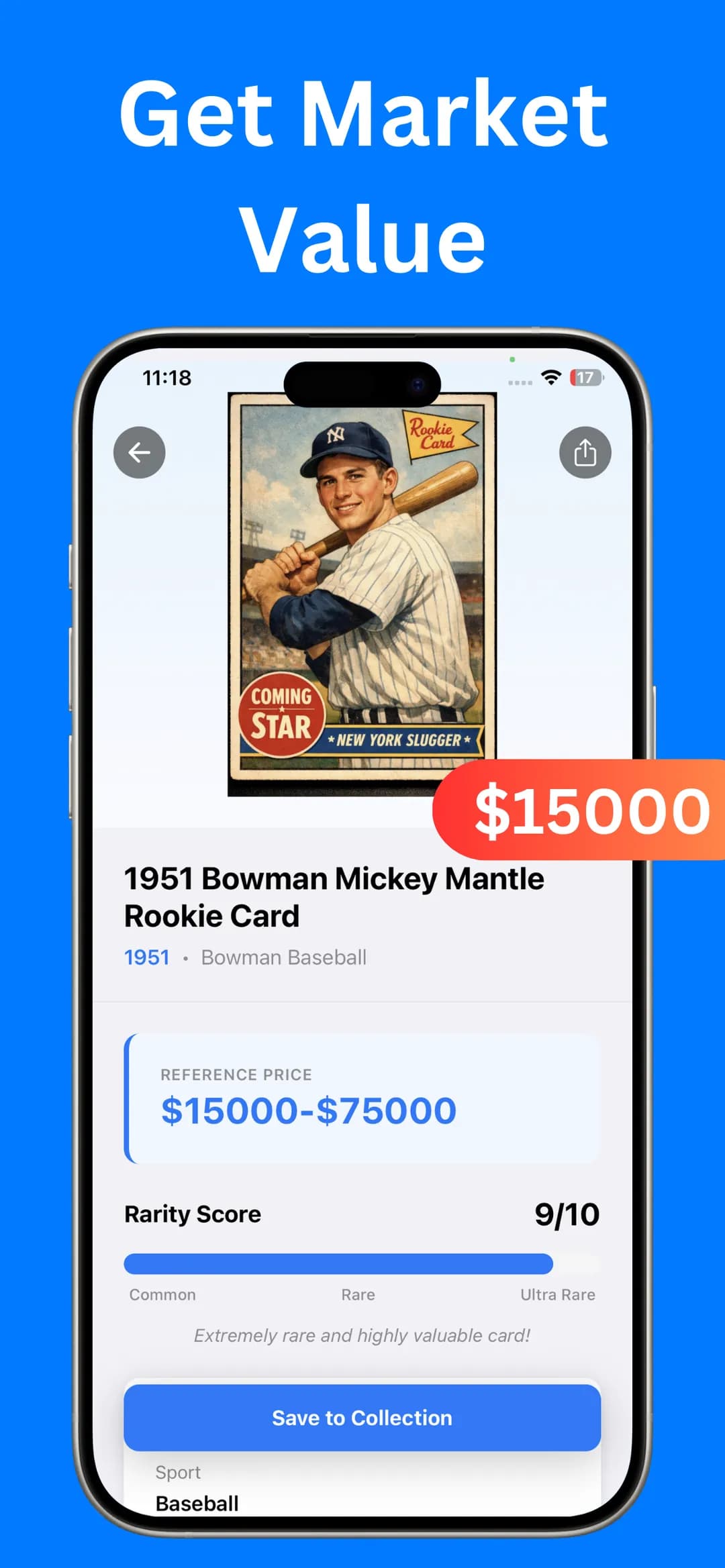
Yes. A sports card price checker app lets you triage first, which matters because searching sold listings for every single card takes time. Scan the card, look at the reference price range, the rarity score and the estimated eBay values, then save the deep eBay research for cards that look valuable. eBay's own app can scan cards too, as our eBay card scanner guide explains.
- Scan the front of the card with your camera, or pick a photo from your gallery.
- Read the Reference Price range and Rarity Score on the result screen.
- Save the cards worth keeping to My Collection so their value ranges stay in one place.
- Run the sold-listings check above on the cards with the highest values and rarity scores.
Which pricing mistakes should you avoid?
The costliest mistakes are pricing a parallel as a base card, pricing from a single sale, posting poor photos and grading cards that won't pay for it.
- Photos sell cards. Shoot the front and back in even light. Buyers pay more when they can see the corners, edges and centering.
- Parallels are not base cards. Double-check the finish and any serial number. Pricing a parallel as a base card (or the reverse) is one of the most common mistakes.
- Don't price from one sale. One spike is not the market. Look for a pattern across several sales.
- Grade only when it pays. Grading costs money and time. It usually makes sense only for high-demand cards in excellent condition.
- Re-check before relisting. Card prices change with player news, injuries and the season.
How do you keep track of cards you've priced?
Keep the results together in a spreadsheet or a collection app once you've priced a stack. Saving cards in a sports card collection app gives you a running view of what you own and what it's worth. If you're still deciding which cards are worth the effort, read how to tell if a sports card is valuable.
Frequently asked questions
Should I look at sold or unsold listings on eBay?
Start with sold listings, which show the final price buyers paid. Unsold listings are useful context: if many copies failed to sell at a certain price, that price is probably too high.
Is the app's estimated eBay price the same as a sold price?
No. It's an estimate to help you decide which cards deserve a closer look. For valuable cards, confirm the price with recent sold listings in matching condition before you sell.
Sources

Find out what your cards are worth
Scan your first card in seconds. Get the card details, a reference price range and a rarity score, then build a collection you can track.


4.5★ App Store (75) · 4.4★ Google Play (79) · Free to download