
Comparison · 5 min read
Card Scanner Machine vs Card Scanner App: Which Do You Need?
· By the Sports Card Value Scanner team
Quick answer
A card scanner machine is a desktop document scanner, such as the Ricoh fi-8170, that feeds a stack of cards and captures both sides in one pass. It suits dealers and sellers listing hundreds or thousands of cards, usually paired with inventory software. A card scanner app runs on your phone, scans one card at a time and tells you what the card is and roughly what it's worth. Most collectors only need the app; high-volume sellers often use both.
The phrase card scanner machine usually means a high-speed document scanner used for trading cards. The Ricoh fi-8170 is the model most often recommended for this. It's rated at 70 pages per minute, scanning both sides at once, with a 100-sheet feeder, and Card Dealer Pro, a dealer inventory service, calls it its recommended scanner. The machine itself only makes images. Identifying the cards, pricing them and creating listings is done by software on a computer, often a paid service. A phone app works the other way round: it takes one photo at a time, but identification and a value estimate happen straight away, with no computer or extra software. That makes the app the faster choice for sorting a box or checking a single card, and the machine the faster choice for photographing a large inventory for listings. Feeding is the weak spot for machines, since reviewers report jams with thick cards and cards in top loaders, and slabs don't fit at all.
| Typical machine | Ricoh fi-8170 document scanner |
|---|---|
| Rated speed | 70 pages (140 images) per minute, with a 100-sheet feeder |
| Machine limits | Needs separate software to identify cards; slabs don't feed; top loaders can jam |
| App strength | Identifies and values each card on the phone, no computer needed |
| Who needs a machine | Dealers listing hundreds of cards a week |
How does a card scanner machine compare with an app?
A card scanner machine batch-scans both sides of a stack of cards for listing photos, while a card scanner app identifies and values one card at a time on your phone.
| Card scanner machine | Card scanner app | |
|---|---|---|
| Example | Ricoh fi-8170 document scanner | Sports Card Value Scanner, CollX, Ludex |
| How it scans | Feeds a stack, both sides in one pass | One card at a time with the phone camera |
| Speed | Rated up to 70 pages per minute | A few seconds per card |
| Identifies the card | Only with separate software | Yes, built in |
| Shows a value | Only with separate software | Yes, an estimate |
| Slabs and top loaders | Slabs don't feed; top loaders can jam | Works on anything you can photograph |
| Setup | Computer, drivers and software | Install the app |
| Best for | Dealers listing large inventories | Collectors sorting, valuing and tracking cards |
What does a card scanner machine do?
Card scanner machines are business document scanners repurposed for cards. You load a stack into the feeder and the scanner pulls each card through, photographing the front and back in one pass. Its output is a folder of clean images, often auto-cropped and straightened, ready for listings.
What it doesn't do on its own is tell you which cards you scanned or what they're worth. Dealers pair the scanner with inventory software that identifies the cards from the images, sets prices and pushes listings to marketplaces.
Is the Ricoh fi-8170 good for sports cards?
The Ricoh fi-8170 is fast and widely recommended for sports cards, though thick cards and top loaders can jam. It's the machine most collectors mean when they search for a sports card scanner machine. Its rated speed is 70 pages, or 140 images, per minute, with a 100-sheet feeder. Card Dealer Pro recommends it for its service and says it can batch up to 100 cards at a time, then list them across eBay, Whatnot, Shopify and CollX through its software.
Real-world speed is lower than the rating once you count loading, checking and rescanning. Reviewers also report feeding problems with some sports cards and with cards in top loaders, so expect to hand-feed thicker cards. Slabs can't go through a feeder at all. Card Dealer Pro's own spec list marks slabs as unsupported.
What does a card scanner app do?
A card scanner app skips the computer. You photograph a card and the app identifies it, then shows details and a value estimate on the phone. It's slower per card than a feeder when all you want is images, but faster when you want to know what you have, because identification and pricing happen in the same step.
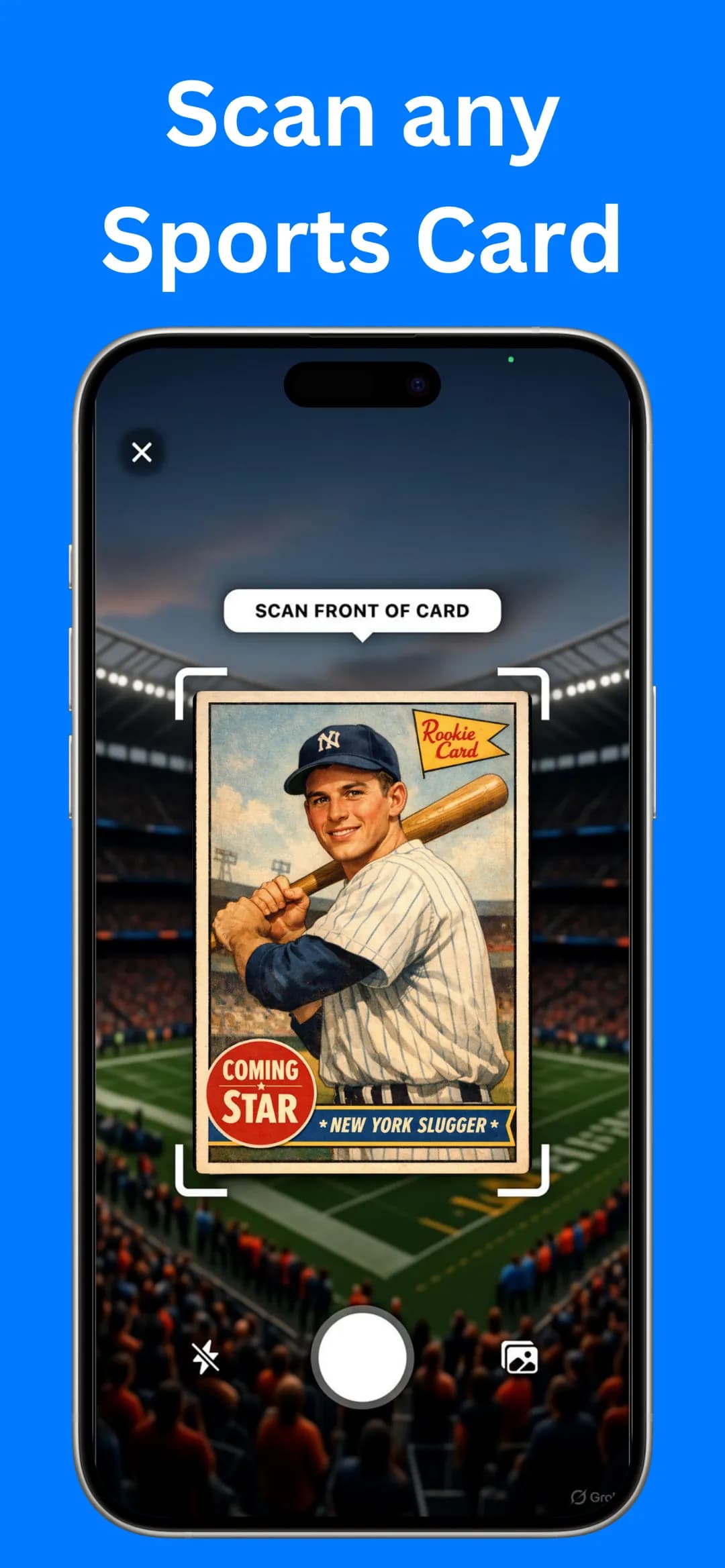
Sports Card Value Scanner works this way. Scan a card with the camera, or pick a photo from your gallery, and you'll see its name, year and set, a reference price range, estimated eBay values and a rarity score out of 10. Save cards to My Collection to track the total value, and export the list of scanned cards to a file when you need a record. Our guide on how to scan sports cards for value walks through it.
Who needs a card scanner machine?
Dealers and sellers who list hundreds of cards a week, sell on several marketplaces or want consistent listing photos are the people who need one.
- You list hundreds of cards a week. Batch images and inventory software save hours over phone photos.
- You sell on several marketplaces. Dealer software that lists everywhere from one inventory is built around a feeder scanner.
- You want consistent listing photos. A scanner gives every card the same lighting and framing.
If none of those fit, a machine is an expensive way to do what a phone already does. For sorting an inherited box, valuing a collection or checking cards at a show, an app is quicker to start and goes anywhere. See how to value a baseball card collection for that workflow.
Can you use a card scanner app and a machine together?
Yes. Plenty of sellers use an app to sort first and a machine to list later. Scan a box with your phone to find the cards worth selling, set the commons aside as bulk, then run only the keepers through the scanner for listing photos. It keeps the slow, jam-prone part of the job to the cards that justify it. Our guide on where to sell sports cards covers what comes next.
Frequently asked questions
What is the best card scanner machine?
The Ricoh fi-8170 is the model most often recommended for trading cards, including by Card Dealer Pro. It's fast and scans both sides at once, but thick cards and top loaders can jam.
Can a card scanner machine identify cards?
Not by itself. The machine makes images; identification, pricing and listing come from separate software, usually a paid dealer service, running on a computer.
Do I need a scanner machine to sell cards online?
No. Phone photos work fine for most sellers. A machine pays off when you list large volumes and want batch images and consistent photos.
Sources

Find out what your cards are worth
Scan your first card in seconds. Get the card details, a reference price range and a rarity score, then build a collection you can track.


4.5★ App Store (75) · 4.4★ Google Play (79) · Free to download